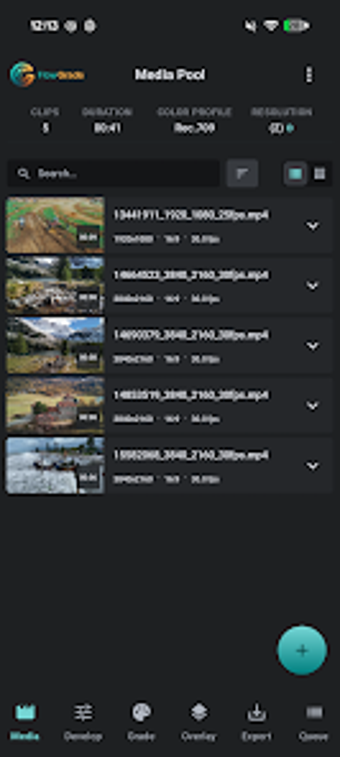
Batch color grading and GPU-accelerated video processing on Android
FlowGrade: Bulk Video Editor, from StateFlow Labs, is an Android app designed to accelerate batch color grading and visual correction for creators processing many clips. It applies professional 3D LUTs, AI color normalization, and GPU-accelerated denoising across multiple files while offering a background export manager for queued renders. The app targets mobile filmmakers and social media managers who need consistent looks across large volumes of footage on a device.

Unlock your creativity with Adobe Stock
Get 10 images or 1 video with a free trial
What is FlowGrade used for?
FlowGrade focuses on multi-clip finishing rather than single-clip touch-ups, so it addresses the production stage where many files must share a single visual identity. The app's core purpose is to apply grading and matched white balance across batches, giving creators the ability to impose consistent color and corrective passes across whole shoots, which shortens the manual repeat work inherent to high-volume output.
What video formats and LUTs does it handle?
The app includes a universal 3D LUT engine that accepts professional LUT formats such as .cube, .3dl, and HaldCLUT, and it compiles those LUTs into mobile-ready textures for real-time mapping. For practical use this means creators can bring desktop-grade LUT files into the device and see GPU-accelerated previews, while the background export manager queues projects so rendering proceeds without keeping the app open.
Is the workflow tailored to professionals or casual users?
FlowGrade targets creators who handle many clips and require consistent output, which makes it a fit for mobile filmmakers and social media managers rather than one-off editors. Its AI color normalization and automatic SDR/HDR detection help match footage from different cameras, but advanced features are optimized for newer Android releases, so the best results appear on higher-performance devices. Consider preserving original masters when applying automated alterations.
A focused choice for creators who deliver high-volume, consistent visuals
FlowGrade is a specialized option for creators who manage large batches and need device-side grading that respects desktop LUT workflows. Its design rewards production pipelines that prioritize visual consistency and queued processing; however, teams that rarely process multiple clips at once gain less advantage. For mobile filmmakers assembling consistent short-form series, the tool is a practical addition to on-device postproduction.